
Back office software for recruiting firms

Updated September 2026.
Key takeaways
- No headcount decides when spreadsheets stop working. Count the hours somebody spends reconciling. The warning signs are missed invoices, delayed commission payouts, and no clean revenue visibility.
- Recruiting firm back office software spans five core categories: financial management, invoicing and collections, commission tracking, compliance and contracts, and reporting. Each can be solved with point tools or an integrated platform.
- Buy for finance and collections. Configure rather than build for commission structures that are specific to your firm.
- The two biggest switching costs are data migration and recruiter trust. Address both before go-live, not after.
- A typical stack is an ATS for placements and candidates, QuickBooks or Xero for the ledger, and a separate layer for collections and commissions.
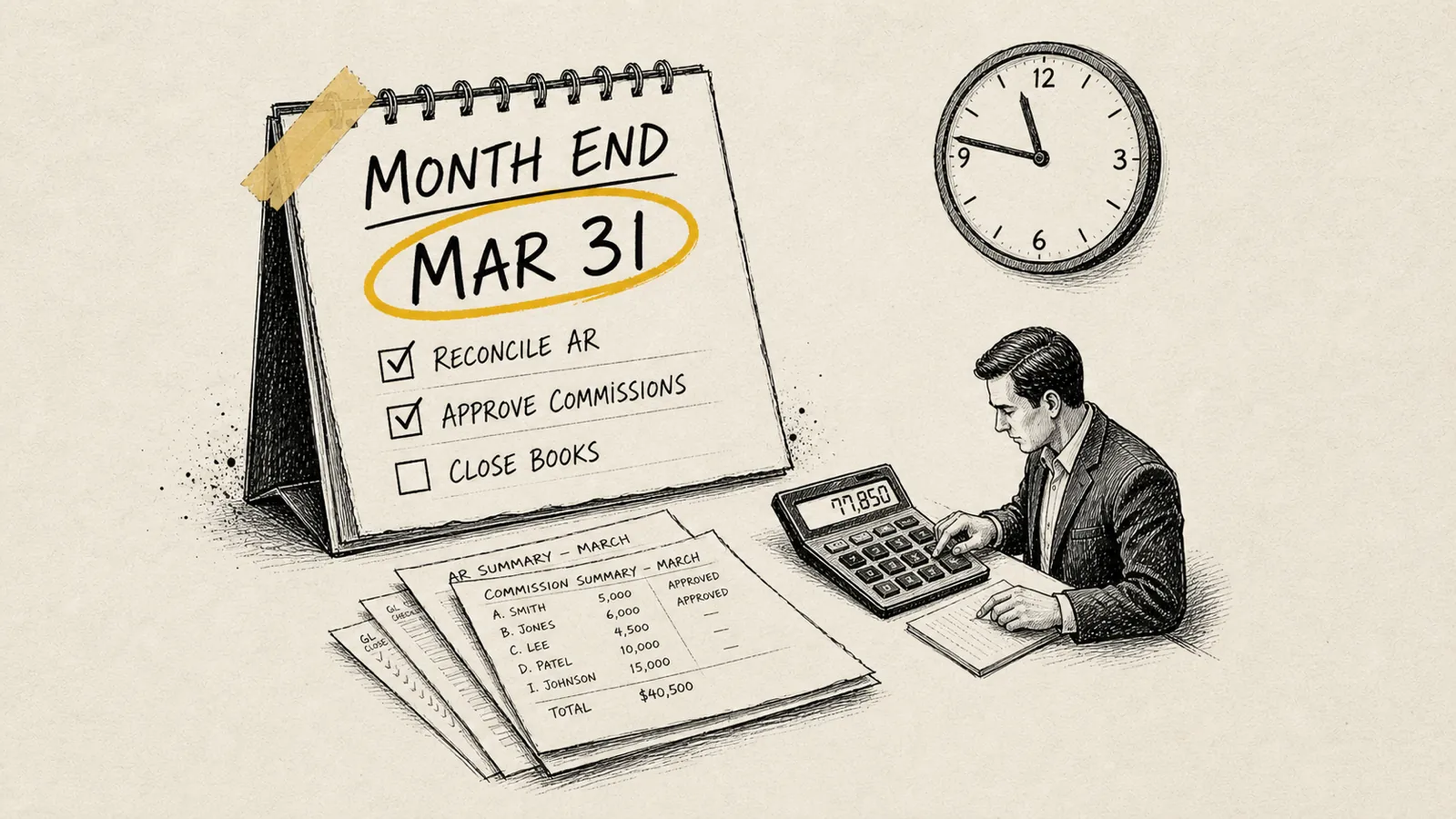
Back office software for a recruiting firm is the set of systems that turn a placement into a paid invoice and a correct commission. It covers five things: the general ledger, invoicing and collections, commission tracking and payouts, contracts and guarantee tracking, and reporting. Buy the first two. Configure the third around your own comp plan. No headcount decides when you need it. The reconciliation hours do.
Here is what those hours look like. You have grown from three people to ten, placements are happening every week, clients are happy. A recruiter says they think their last commission check was wrong. You pull up the spreadsheet. Then another spreadsheet. Then an email chain from six weeks ago. Forty-five minutes later, you still are not sure who is right.
Nobody in that room is bad at arithmetic. The calculation is probably fine. What is missing is a record the two of you can look at together and agree on in two minutes.
The recruiting firm mid office is the name for that set of work, everything between the placement and settled cash. It covers who owns the function at each firm size and what a monthly close looks like once it exists.
This is written for owners and GMs past the early hustle phase, at the point where the operation cannot keep depending on one person's memory and one unlocked Google Sheet. If the spreadsheet itself is the thing you are trying to get out of, the migration off spreadsheets is covered separately.
What does "back office" actually mean for a recruiting firm?
The back office of a recruiting firm is everything that happens after the placement is made. It's the financial and operational infrastructure that converts a signed offer letter into recognized revenue, a paid invoice, and a correctly calculated commission. It is categorically different from your ATS or CRM, which manage the front-of-house work of finding candidates and nurturing clients.
Many recruiting firm founders conflate the two, especially in the early years, when one tool (often Bullhorn, Vincere, or even a well-organized spreadsheet) handles everything. That conflation is fine at three people. At ten, it creates gaps that cost real money.
A complete recruiting firm back office covers five functional areas:
- Financial Management
- General ledger, bank reconciliation, accounts receivable, accounts payable, and month-end close. The foundation everything else depends on.
- Invoicing and Collections
- Generating accurate invoices at placement, tracking aging receivables, sending reminders, and collecting payment, including managing falloff credits and guarantee clauses.
- Commission Tracking and Payouts
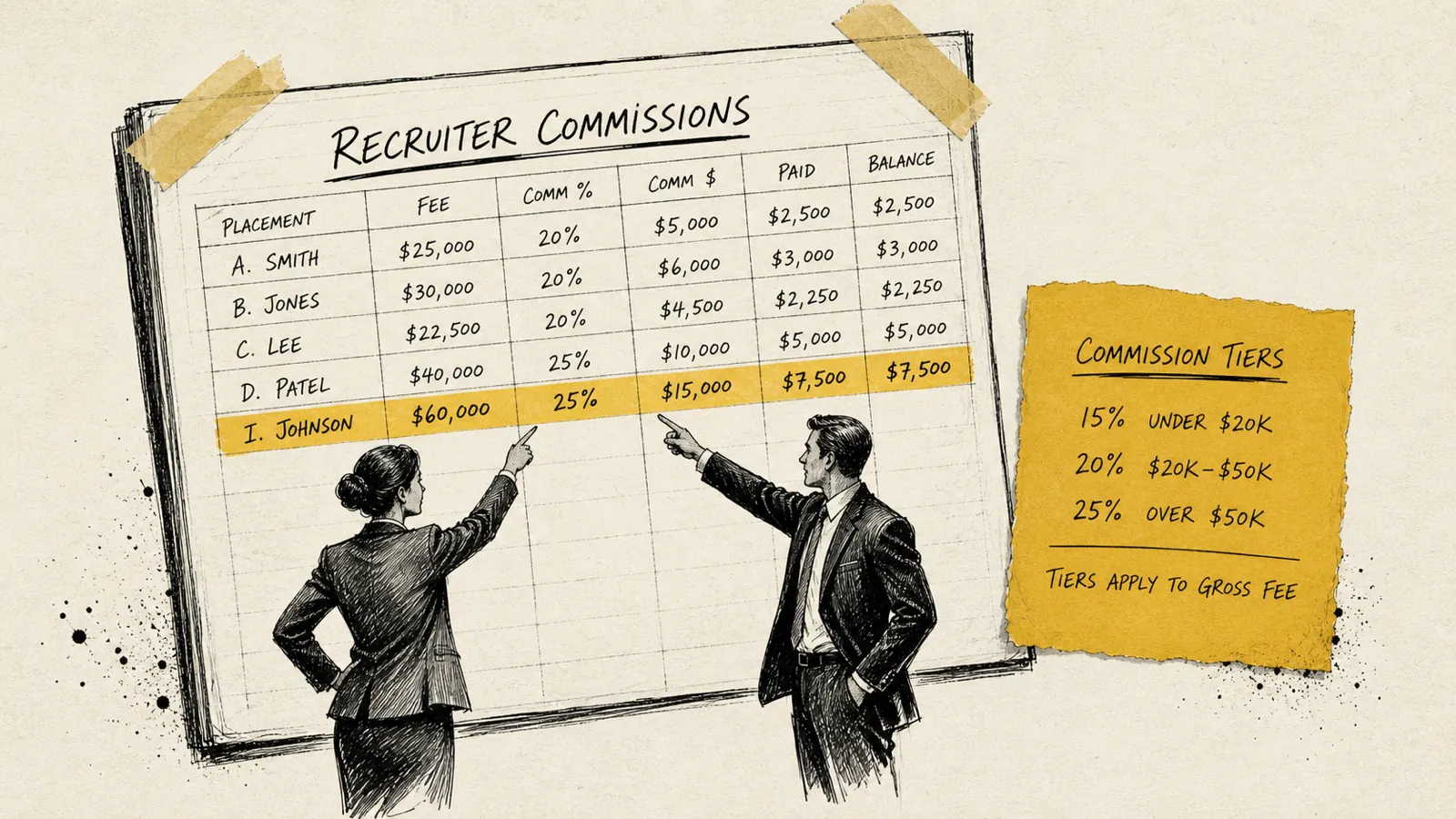
- Calculating recruiter commissions based on collected cash (not just placed fees), handling splits, applying tiered structures, and producing statements recruiters can actually trust.
- Contract and Compliance Management
- Storing executed client agreements, tracking guarantee periods, managing contractor agreements if you run a contract desk, and maintaining audit trails.
- Reporting and Business Intelligence
- Revenue by consultant, by practice, by client, by month: the data you need to make decisions about hiring, compensation, and business development.
Most growing firms have a patchwork covering each of these. The question is whether the patchwork is holding up or quietly leaking.
What are the warning signs your back office has outgrown your tools?
The back office rarely fails dramatically. It degrades. Here are the specific, concrete signals that the degradation has started:
- Commission disputes are a recurring event. If more than one recruiter a quarter is questioning their calculation, your process is not auditable. An auditable one ends the conversation in two minutes with a statement you can both read. How the plan itself is built is a separate question from whether you can show your work on it.
- You don't know your DSO. Days Sales Outstanding, the average number of days it takes a client to pay after invoice, is the number that governs your cash cycle. If you cannot name yours without running a manual report, your collections process is flying blind. Time to cash breaks the clock down into the parts you control and the parts the client controls.
- Invoices go out late. A placement happens on a Tuesday. The invoice doesn't go out until the following Monday because someone had to manually build it from an email confirmation and a contract PDF. Every day of delay is a day added to your cash cycle.
- Your month-end close takes more than a week. At 10+ recruiters doing 10+ placements per month, a close that depends on manual reconciliation will eat 40+ hours every single month. That's a half-time finance employee's worth of work.
- You've had a falloff you didn't catch in time. A candidate placed six months ago left at month three. The guarantee was 90 days. No one flagged it. The client is unhappy and the fee conversation is now awkward. The falloff prevention playbook covers the check-in cadence that surfaces this at week three instead of month six.
- You're making hiring decisions based on gut, not data. You think your healthcare practice is outperforming your tech practice, but you can't prove it because your revenue data isn't segmented cleanly.
If two or more of these resonate, you're already past the point where incremental fixes will help. The gap between what your current tools can do and what your business needs has gotten too wide.
What are the five categories of recruiting firm back office software?
Five categories, and each one is responsible for a different part of the path from placement to settled cash. Knowing which category owns which job is what stops you buying the same capability twice.
1. Accounting and financial management software
This is your general ledger. Every dollar that flows through the business lives here. For most recruiting firms in the 5–40 recruiter range, the conversation starts with QuickBooks Online or Xero. Both handle invoicing, bank feeds, reconciliation, and basic reporting. QuickBooks has deeper penetration in North American recruiting firms; Xero tends to be more common in UK and Australian markets.
At higher revenue levels some firms migrate to NetSuite for multi-entity reporting and revenue recognition. That is usually a CFO-driven decision rather than a founder one.
The most important principle here: your accounting software should be the system of record for cash. Everything else (commissions, reporting, collections) should reconcile back to it.
2. Invoicing and collections software
Most accounting platforms handle invoicing adequately. Where they fall short is collections: the follow-up cadence that turns an aging receivable into a collected payment. Recruiting firms also have billing shapes that generic AR tools handle badly, including split invoices, guarantee clauses, retainer structures and installment schedules. How recruiting firms invoice and collect walks the whole money path, from trigger event to settled cash.
This is exactly the gap that purpose-built tools like CollectedHQ address: automating the collections workflow specifically for recruiting firm revenue models, including falloff tracking and payment reminder sequences built around how placement guarantees work.
Other firms build the collections workflow directly in their CRM or in a generic AR tool. What matters is that someone or something is working the aging report on a schedule. Many firms that believe they have a collections process have a habit of sending one reminder email.
3. Commission tracking and payout software
Commissions are where owners feel the pain, and it usually starts a step earlier. You cannot pay a commission until you know an invoice was paid, so a manual invoicing process and a manual reconciliation step both land on the commission run before anyone calls it a commission problem. The structures on top are real work in their own right: tiered percentages on quarterly billings, split rules between sourcing and closing recruiters, draw-against-commission arrangements, team splits, and clawbacks tied to guarantee periods.
Spreadsheets can model all of this, until they can't. The failure mode is always the same: the spreadsheet works perfectly in the model and breaks in production, because real placements have edge cases that no formula anticipated.
Larger firms that cannot run commissions by hand often buy general sales commission software. My read, from the owners I talk to, is that it gets them about 60% of the way there. The remainder is the team learning to call things names they do not actually mean, because inside-sales commission tools use different terminology and different structures than recruiting commissions do. The firms that went that way are not behind. They bought the only thing available and built the rest themselves. CollectedHQ combines collections and commission tracking, which is the other route. Some larger firms build a commission engine inside their CRM with custom objects and automations.
4. Contract and compliance management
Every placement rests on two documents: a client fee agreement and an offer letter or contractor agreement. Managing the lifecycle of those documents, especially guarantee periods, exclusivity windows, and payment terms, is a compliance function that most small firms handle with a shared folder and institutional memory.
Dedicated tools like DocuSign, PandaDoc, or Ironclad handle execution and storage. The gap most firms have isn't in signing documents. It's in actively tracking what those documents obligate you to do and when.
A simple version: tag every placement in your ATS with the guarantee expiration date and the payment terms. Your collections and commission tools then read those fields instead of someone remembering them. Elegant does not have to mean expensive.
5. Reporting and business intelligence
Revenue data is only valuable when it's segmented and accessible. The reporting question for a recruiting firm is not "how much did we bill this quarter" but rather: which practice, which client, which recruiter, which job type, and which sourcing channel is driving that number, and what's the trend?
Basic reporting comes from your ATS and your accounting software. More sophisticated analytics often require either a dedicated BI tool like Looker Studio (free), Tableau, or Power BI, or a back office platform that surfaces these metrics natively.
Should you build or buy your back office?
The build-vs-buy question comes up for every function in the back office. Here is the honest answer. Buy for finance and collections. Customize or build for commission structures that are genuinely unique to your firm.
Let's unpack why.
When to buy
Financial management and invoicing are solved problems. QuickBooks, Xero, and their competitors have spent decades building reliable, auditable systems for exactly these functions. Building a custom general ledger is not a competitive advantage. It's a maintenance burden that will eventually hurt you during an audit or an acquisition due diligence process.
Collections automation is also a strong buy signal. Systematic follow-up shortens the gap between the invoice going out and the cash arriving, and that shows up in your bank balance rather than in a projection.
When to build, or heavily customize
Commission structures are where the build argument has merit, not because generic tools can't model them, but because your commission plan is often a recruiting retention tool. The exact tiers, splits, and acceleration clauses in your plan are part of what differentiates you as an employer. A slightly customized model that exactly matches how your recruiters think about their earnings is worth the extra configuration effort.
Similarly, reporting dashboards that surface the specific KPIs your leadership team cares about, your own definition of "a great month," are worth building. Generic dashboards that show generic metrics don't drive decisions the same way.
The hybrid stack most firms end up with
In practice, most recruiting firms at the 10–30 recruiter stage end up with a stack that looks like this:
- ATS/CRM: Bullhorn, Vincere, Loxo, or JobAdder: the system of record for placements and candidate data
- Accounting: QuickBooks Online or Xero: the system of record for cash
- Collections and commission tracking: A dedicated tool (CollectedHQ being a purpose-built option) or a well-configured workflow in the accounting software plus spreadsheets for commission modeling
- Contracts: DocuSign or PandaDoc for execution, with key fields pushed into the ATS
- Reporting: Looker Studio pulling from the ATS and accounting system, or native reports from the back office platform
The integration layer between these tools (how data moves from a placement in Bullhorn to an invoice in QuickBooks to a commission in your commission tool) is where most firms spend the most time and money. Prioritize tools with native integrations or a clear API before you commit.
How should you evaluate back office software before you buy?
Buying software for your back office is not like buying an ATS. The evaluation criteria are different, the stakeholders are different, and the switching costs, once you're live, are significantly higher. Here is a framework that holds up across firm sizes and tool categories.
Criterion 1: does it handle recruiting-specific scenarios?
Generic accounting or commission software was not built for a guarantee period, a split placement, or a retainer with a success fee component. Before you buy, walk the vendor through three of your most complex recent placements and ask them to show you how the tool handles each one. If they can't, move on.
Criterion 2: what is the integration story?
Your back office software will need to talk to your ATS at minimum, and ideally to your payroll system and your bank. Ask for a specific list of native integrations and whether those integrations are bidirectional. A one-way sync (ATS to billing, but not back) creates reconciliation work every month.
Criterion 3: what does the audit trail look like?
When a recruiter disputes their commission two months from now, can you show them the exact calculation with every input value at the time of calculation? If the tool doesn't produce an auditable, version-controlled commission statement, it will not solve your dispute problem. It will just move it to a different format.
Criterion 4: what is the real total cost of ownership?
Software pricing is rarely what it appears to be. Add up: the base subscription, per-seat fees, implementation costs, data migration costs, and the internal time required to administer the system monthly. A cheap tool that requires twenty hours of admin time every month can cost more than an expensive one that requires two.
Criterion 5: what is the switching cost in 24 months?
Every system you adopt creates a data dependency. Before you go live, ask: if we need to leave this tool in two years, what does that process look like? Can we export all historical commission records, all invoices, all payment history in a portable format? Vendors who make this question uncomfortable are telling you something important.
How do you switch systems without losing recruiter trust?
The technical side of switching back office software is almost never the hard part. The hard part is recruiter trust. Recruiters have an acute, justified sensitivity to anything that touches their commission. If the first payout on the new system is wrong, even slightly, even in their favor, you will spend the next six months defending the system's credibility.
Here is a transition sequence that holds up:
- Run parallel systems for one full commission cycle. Before you cut over, run your old process and your new system simultaneously for one complete pay period. Compare every line. Resolve every discrepancy before anyone gets paid from the new system.
- Migrate historical data before go-live, not after. Recruiters will immediately ask to see their YTD numbers. If those aren't in the new system on day one, trust erodes instantly. Data migration is not a post-launch activity.
- Brief your top producers first. Your highest-earning recruiters are your most skeptical audience and your most influential voice. Bring them into a demo or walkthrough before the full firm announcement. Their buy-in is worth more than any feature.
- Create a clear escalation path for disputes. On go-live day, every recruiter should know exactly who to contact if they think their commission is wrong, and what the resolution SLA is. The answer cannot be "email me and I'll look into it."
- Communicate what's changing and what isn't. Most back office migrations change the system, not the commission plan. Make that explicit. Recruiters conflate the two, and the anxiety is almost always about the plan, not the software.
The firms that struggle are the ones that treat the software launch as an IT project rather than a change management project. The technology is the easy half.
What is the ROI case for back office software?
Every dollar you invest in back office software has a measurable return in three categories: cash flow improvement, time recovery, and risk reduction. Here's how to frame the business case.
Cash flow: the DSO argument
Run the math on your own numbers. Take a firm billing $500K per month with a 60-day DSO. It is carrying roughly $1M in outstanding receivables at any given time. Cut the DSO to 40 days and $333K moves from outstanding to collected, a one-time improvement that then holds. Run the same calculation against your own billings and your own DSO before you look at any software price.
Time recovery: the founder tax
Manual back office work has a specific tax on founders and GMs: it pulls high-value people into low-value work at the worst possible time (month end, quarter end). Automating reconciliation, invoicing, and commission calculation moves that work off the leadership calendar. The hours come back as strategic capacity.
Risk reduction: the audit and acquisition case
At some point, your firm will either face an audit, bring on an investor, or pursue an acquisition. In all three scenarios, someone examines the quality of your financial records line by line. Clean, system-generated histories make that examination fast. Spreadsheet-based histories have to be reconstructed after the fact by an accountant, and you pay for that work at the exact moment somebody else is setting the price.
What do firms get wrong when they buy back office software?
Recruiting firm back office software is not a category where you want to learn from your own mistakes. Here are the most common ones, and how to avoid them.
Mistake 1: buying for the size you are, not the size you are heading for
A tool that's perfect for 8 recruiters may require a painful migration at 20. Before you buy, ask the vendor to show you a client profile that's 2x your current size. How does the tool handle that load? What additional cost and complexity kicks in at that stage?
Mistake 2: underestimating the integration requirement
The most common failure point in a back office stack is not the tools themselves. It's the data pipeline between them. A placement record lives in your ATS. The invoice needs to be in your accounting system. The commission calculation needs placement details and payment confirmation. If these systems don't talk to each other reliably, someone is manually copying data between them, which means errors and delays are guaranteed.
Always pilot the integration before committing to a tool, not after.
Mistake 3: letting the commission plan get more complex than necessary
Every layer of complexity you add to your commission plan is a layer added to your back office. Tiered splits, retroactive accelerators, team bonuses, desk-level P&L: these are all defensible motivational tools, and they compound the calculation burden. Before you add a new wrinkle, ask whether your back office can model it reliably. If it cannot, either simplify the plan or buy the tooling before you roll it out.
There is also no federal template to fall back on. The US Department of Labor states plainly that the Fair Labor Standards Act does not require the payment of commissions. Your plan document is the thing that creates the obligation, and state wage law sits on top of that, which is a question for your counsel rather than for this page. Operationally it means every clause you write is a clause your system has to reproduce, line by line, in front of a recruiter who disagrees with it. Six real comp plans, torn down shows what those clauses look like in practice.
Mistake 4: treating the back office as a finance problem rather than a leadership problem
The decision to invest in back office infrastructure is a CEO-level decision, not a bookkeeper-level decision. The ROI, the risk profile, and the organizational change required all demand executive ownership. Firms that delegate this entirely to a finance hire or an outsourced bookkeeper tend to end up with systems optimized for accounting convenience rather than for recruiter experience or leadership visibility.
Mistake 5: not planning the recruiter communication
This was covered in the transition section, but it bears repeating as a standalone mistake: many founders treat the back office migration as invisible to the recruiting team. It never is. Commissions are not invisible. Plan the communication, run the parallel cycle, and brief your top earners. The time you spend on change management comes back as dispute resolution you never have to run.
Frequently asked questions about back office software
What is back office software for recruiting firms?
Back office software for recruiting firms refers to the systems that handle the financial and operational side of the business, including invoicing, collections, commission calculation, contract management, payroll, and financial reporting. It is distinct from the ATS or CRM, which manage candidates and client relationships. The back office is what converts a placement into recognized, collected revenue with accurately paid commissions.
When should a recruiting firm invest in dedicated back office software?
Most recruiting firms should invest in dedicated back office software when they reach 5–10 active recruiters, when monthly placements exceed 8–10 deals, or when commission disputes, late invoices, or missing financial data become recurring problems. The cost of inaction compounds quickly. Each month of delay adds to the data migration burden and extends the period of operational risk.
What does recruiting firm back office software typically cost?
Pricing varies by category and by firm size, and every vendor either publishes its rates or quotes them on a call. General accounting tools sit at the low end, recruiting-specific back office platforms in the middle, and enterprise staffing suites at the top. Get current pricing from each vendor directly rather than working from a range you read somewhere. The comparison that matters is the software cost against the current cost of manual labor, errors, and delayed collections.
Can my ATS replace back office software?
Most ATS platforms, including Bullhorn, Vincere and Loxo, include invoicing and basic commission reporting, and for a firm under five recruiters that is often enough. The ATS is built for candidates, jobs and placements, which is the work it is strongest at and the reason you bought it. Past that size most firms keep the ATS as the system of record for placement data and add a separate layer for commissions, collections and financial reporting, rather than asking the ATS to become that layer.
How long does it take to implement back office software for a recruiting firm?
Implementation timelines vary widely. A single tool like QuickBooks can be live in a week. A full back office system with ATS integration, historical data migration and commission model configuration typically takes four to ten weeks. The step firms most often rush is the data migration and the parallel commission cycle, and that is the step that decides whether recruiters trust the first payout. Budget more time than you think you need.
What does a phased back office roadmap look like?
You don't have to solve the entire back office in one project. In fact, trying to do so is one of the most reliable ways to ensure none of it gets done well. Here is a phased approach.
Phase 1: foundation (weeks 1–4)
Get your financial system of record right. If you don't have a proper accounting system, start there. Clean up your chart of accounts so revenue is segmented by practice area or desk. Connect your bank feed. Establish a monthly close process, even a manual one, with a fixed cadence. Everything else depends on this foundation being solid.
Phase 2: invoicing and collections (weeks 5–10)
Implement systematic invoicing: every placement triggers an invoice within 24 hours, automatically where possible. Add a collections follow-up sequence with defined escalation points at 30, 45, and 60 days. Track your DSO month over month.
Phase 3: commission tracking (weeks 8–14)
Overlap slightly with Phase 2. Model your commission plan in your chosen tool. Run parallel calculations for one full pay cycle before going live. Produce individual commission statements for every recruiter from day one. Create a dispute resolution process before you need it.
Phase 4: reporting and business intelligence (weeks 12–20)
Once your financial data is clean and your commission system is running, build the reporting layer. Define the five metrics your leadership team reviews monthly. Build those reports once, automate their delivery, and stop running them manually. This is the phase where the back office stops being a cost center and starts being a decision engine.
The firms that execute this sequence well share one characteristic: they treat each phase as a complete project with a clear owner and a go-live date, not as an ongoing initiative that's always "in progress." Momentum matters. Ship phase one before you design phase four.
What to do about recruiting firm back office software
The spreadsheet-and-email back office that served you well at three people is scaffolding. At ten recruiters it is a risk. At twenty it is a ceiling on your growth, your recruiter retention and what your firm is worth to a buyer.
What has changed is that the pieces can be bought rather than built. A modern ATS, a clean accounting system, a collections sequence that runs on a schedule, and a commission record a recruiter can open themselves are all available to a ten-person firm now. Each one replaces a thing somebody currently does by hand on a Friday.
You are already paying for the current setup. It shows up as write-offs, disputes and month-end hours instead of as a line item on an invoice, which is the only reason it looks free.
If you want to see what this looks like with your own placements in it, get started free. Five placements, no card.
Never sweat invoicing or commissions again.