
Recruiter Commission Tracking Software: The Complete Guide for Direct Hire & Executive Search Firms

Key Takeaways
- Most direct hire and executive search firms outgrow spreadsheet-based commission tracking between 5 and 10 recruiters. Errors, disputes, and reconciliation time compound quickly at that scale.
- Recruiter commission tracking software automates split calculations, tiered thresholds, and payout schedules, eliminating the most common sources of end-of-month disputes.
- The right tool should handle your specific commission structure (tiered, split, draw-against, or hybrid) without requiring a shadow spreadsheet alongside it.
- Look for software that gives recruiters self-service visibility into their own earnings.
- Implementation is faster than most firm owners expect: purpose-built recruiting commission tools typically go live in days, not months.
It's 9:47 PM on a Thursday. Your top biller just closed a $185,000 placement, and you get a Slack message: "Hey, quick question: what's my commission on this one going to be? The client is paying net 30, right? And this is the deal where someone else sourced the candidate, so how does the split work?"
If you run a direct hire or executive search firm, you've been there. The question isn't unreasonable. Your recruiter closed a significant deal and wants to know what they earned. The problem is you can't answer it accurately without opening a spreadsheet, cross-referencing a tier table, checking the candidate sourcing log, and doing mental math on a payment schedule that hasn't been finalized yet.
This is exactly the operational gap that recruiter commission tracking software is designed to close. Not just for your sanity at 9:47 PM, but for the structural integrity of your firm's compensation system at every point in the month.
This guide covers everything a firm owner or managing director needs to know about commission tracking software for recruiting: what it does, how to evaluate it, which commission structures it needs to support, and how to roll it out to a team without creating more confusion than you started with. We'll also be direct about where spreadsheets still make sense, and where they're quietly costing you more than you realize.
Why Spreadsheet-Based Commission Tracking Breaks Down
Spreadsheets are not the problem. The problem is using a general-purpose tool to manage a workflow that grows more complex every time you add a recruiter, adjust a tier, or negotiate a non-standard split. At three recruiters on a flat commission rate, a spreadsheet works fine. At ten recruiters on tiered structures with shared origination credits and clawback provisions, it becomes a liability.
Here's where the breakdowns actually happen:
Tier threshold errors
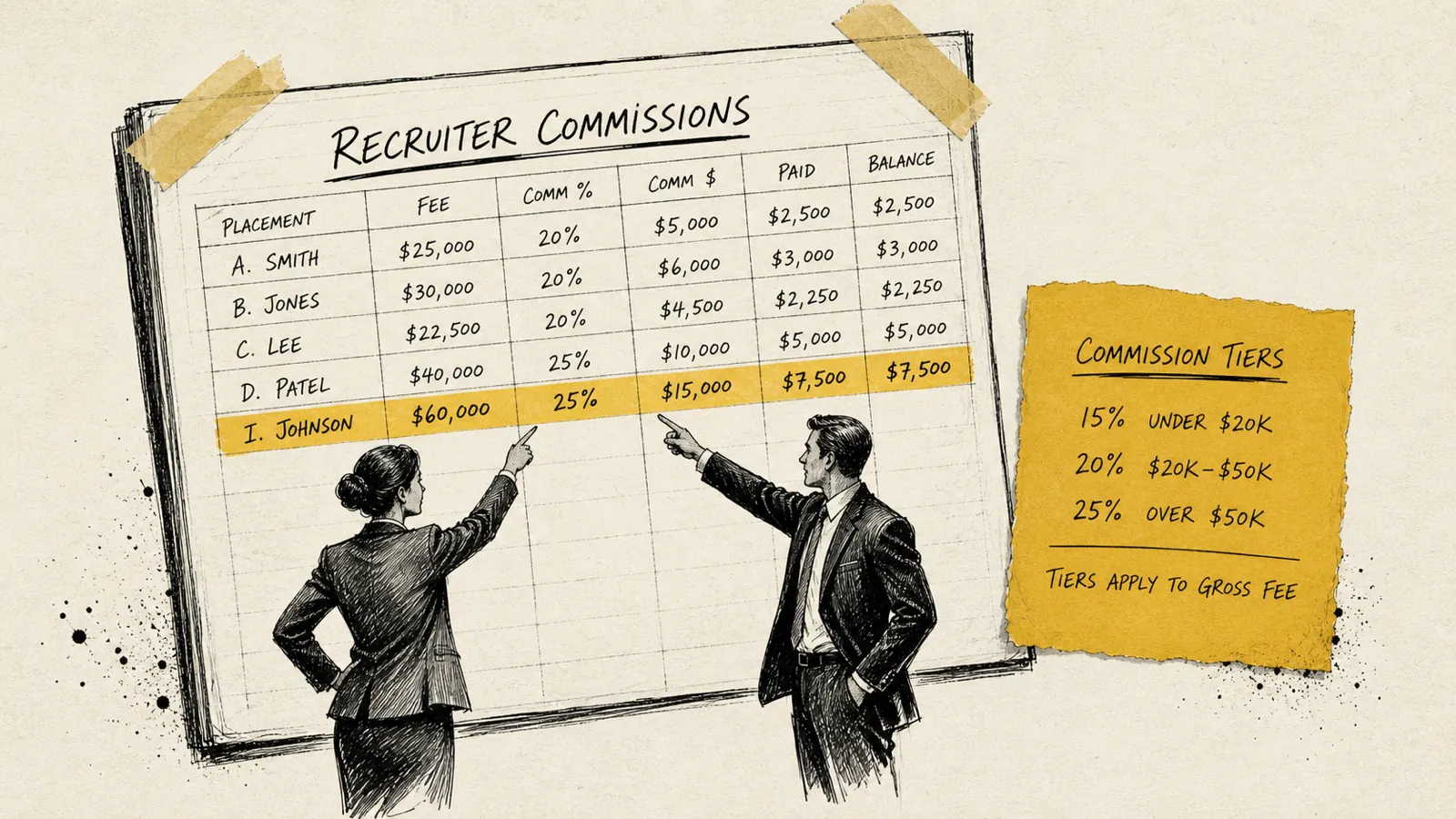
Most tiered commission structures pay a higher rate after a recruiter crosses a billing milestone: say, 8% on the first $100K billed, 10% on $100K–$250K, and 12% above that. Calculating which portion of a deal falls in which tier, especially when a payment is split across months, is genuinely hard to do reliably in a formula someone else built and you've since modified.
Split deal ambiguity
A deal with a business development originator and a delivery recruiter creates two commission obligations from one placement fee. If your spreadsheet doesn't capture the agreed split at the time of the deal, or if that split lives in an email no one can find, you're reconciling a dispute instead of celebrating a placement.
Payment timing mismatches
Direct hire firms don't always get paid when a candidate starts. Guarantees, net-30 terms, and installment-based retained searches mean a commission earned in March might be partially paid in April and partially in May. Spreadsheets don't handle accrual logic well without significant manual upkeep.
Clawback tracking
When a placed candidate doesn't work out within the guarantee period, the client either gets a replacement or a partial refund, and your recruiter's commission may need to be partially reversed. Tracking this in a spreadsheet, against a commission that may already have been paid, is a reconciliation nightmare.
If any of these scenarios sound familiar, you're likely a candidate for purpose-built commission tracking software. For a deeper look at the specific failure modes of spreadsheet-based payout systems, see our article on how to track recruiter payouts without spreadsheet errors.
What Recruiter Commission Tracking Software Actually Does
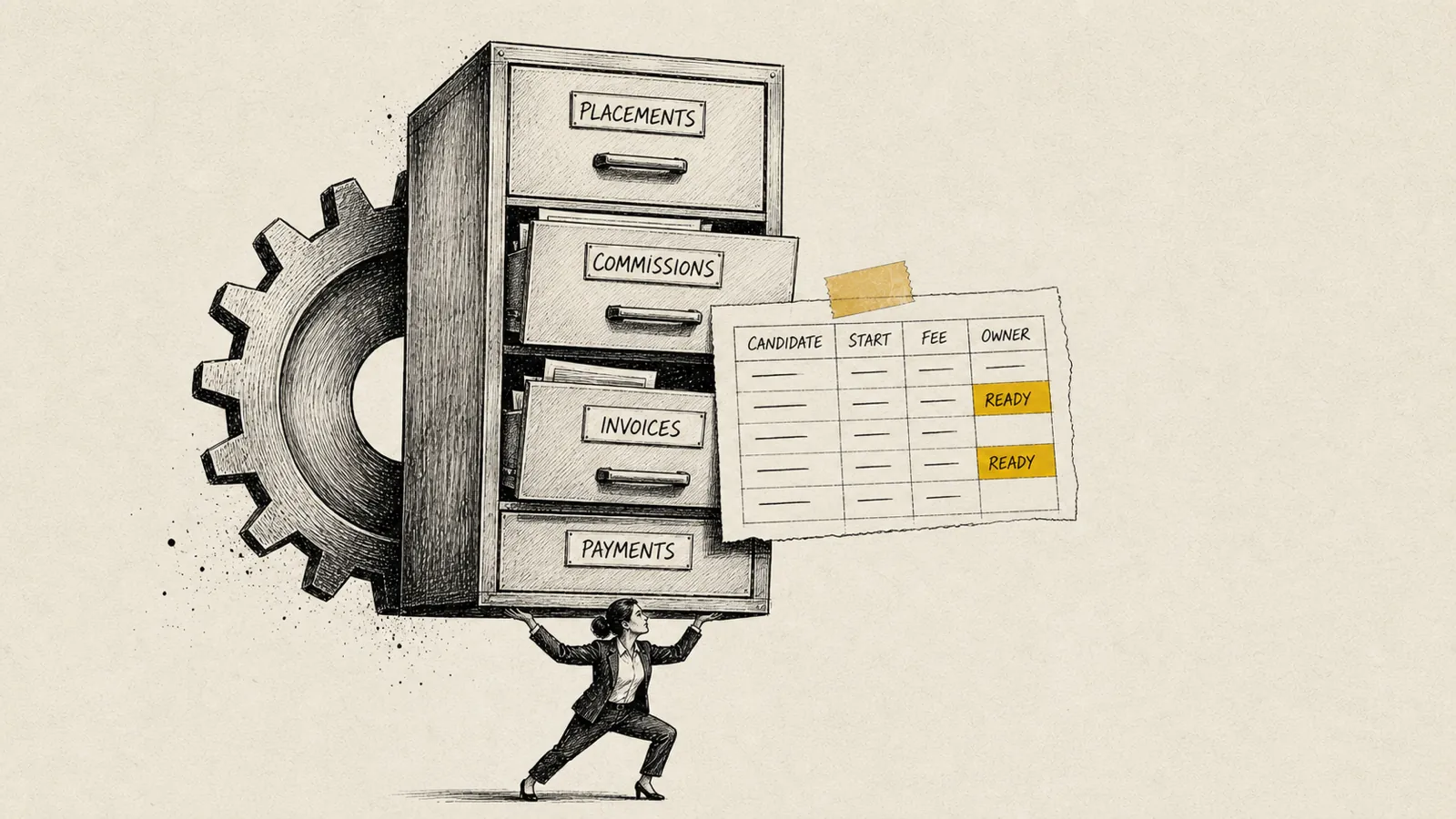
Recruiter commission tracking software is a purpose-built tool that automates the calculation, recording, and reporting of placement-based commissions. Unlike general accounting software or spreadsheets, it's designed around the specific data model of a recruiting firm: placements, fees, recruiters, splits, tiers, and payment schedules.
At the core, a good commission tracking system does five things:
- Records placements with the data that drives commission calculations: placement fee, fee split between firm and recruiter, origination credit, candidate name, client, and start date.
- Applies your commission structure automatically: whether that's a flat rate, a tiered rate, a split between multiple recruiters, or a combination of all three.
- Tracks payment from the client: linking cash received to the commission obligation it triggers, and handling partial payments, installments, and clawbacks.
- Provides recruiter-facing visibility: so individual team members can see their own pipeline, closed deals, earned commissions, and pending payouts without asking you.
- Produces reporting for firm leadership: month-end payout summaries, year-to-date earnings by recruiter, and data useful for financial planning and conversations with your bookkeeper or accountant.
The self-service visibility point deserves emphasis. The after-hours pay question is about trust. Recruiters want to know the system is accurate and that they're not getting shortchanged. Software that gives them a real-time view of their own earnings answers the question before it becomes a Slack message.
Commission Structures the Software Must Support
Not all commission tracking software handles the full range of structures that direct hire and executive search firms actually use. Before evaluating any tool, map your current commission structure in writing. If the software can't model it accurately, it doesn't matter how good the interface is.
Here are the structures your software needs to handle:
Flat percentage commission
The simplest model: a recruiter earns a fixed percentage of the placement fee. Common in smaller or newer firms. Easy to calculate, easy to track. Any software worth considering handles this.
Tiered commission by billing volume
The most common model in growing direct hire firms. Commission rates increase as a recruiter crosses billing thresholds within a period (monthly, quarterly, or annually). The complexity is in calculating which portion of which deal falls into which tier, especially when a large deal crosses a threshold mid-way through.
Split commissions (originator / biller)
When one recruiter develops the client relationship and another recruiter fills the role, the commission is split between them. Split ratios vary by firm. Some use 50/50, others use 60/40, and some have variable splits based on deal size or negotiated agreements. The software must capture the agreed split at the deal level and calculate each recruiter's share independently.
Draw against commission
Some firms pay recruiters a base draw that is offset against earned commissions. This requires tracking cumulative earnings, the outstanding draw balance, and the net payout at each commission period. This is where spreadsheets most frequently break down. The running balance logic is fragile in formula-based systems.
Retained search installment commissions
Retained and container searches often pay in three tranches: on engagement, on shortlist delivery, and on placement. The commission obligation may also be split across these payment events. Software needs to handle multi-event deals where commission is earned incrementally.
Clawback provisions
When a placed candidate leaves or is terminated within the guarantee period, your firm may owe the client a replacement or partial refund. The software should allow you to reverse or adjust a commission that was previously earned and paid, with a clear audit trail.
If your firm uses a hybrid of several of these (which many executive search firms do) confirm with any vendor that their system can model your actual structure before you commit. The best way to test this is to run your last three complex deals through a demo environment and verify the outputs match what you would have calculated manually.
Key Features to Look for in Commission Tracking Software
The market for recruiting-specific commission tools is narrower than the general incentive compensation software market, which is actually good news. You're not being sold an enterprise platform built for a manufacturing sales team and lightly customized for recruiting. Purpose-built tools exist, and they're worth prioritizing.
When evaluating options, prioritize these capabilities:
- Structure flexibility: Can it model your exact commission plan without workarounds? Ask to demo your most complex deal type.
- ATS or CRM integration: The best tools pull placement data from where you already record it (Bullhorn, JobDiva, Vincere, PCRecruiter, or your CRM of choice) rather than requiring double entry.
- Recruiter-facing dashboards: Individual team members should be able to see their own pipeline, deals, earned commissions, and upcoming payouts without contacting you or your ops team.
- Audit trail and version history: When a dispute arises, you need to show exactly how a commission was calculated, and when. This is non-negotiable.
- Payment event tracking: The system should distinguish between commission earned (when the placement is made) and commission paid (when client cash is received), a critical distinction for cash-flow-conscious firms.
- Clawback and adjustment handling: Reversals, partial credits, and guarantee-period adjustments should be built into the workflow, not handled by deleting rows.
- Reporting for payroll and finance: Month-end payout reports that your bookkeeper or accountant can act on, without translation work.
- Access controls: Recruiters should see their own data. Managers should see their team. Only firm leadership should see everything. Role-based access is a basic requirement.
A note on integration: many smaller firms assume they need deep, real-time integration with their ATS from day one. In practice, a clean CSV import or a simple manual deal entry workflow is often sufficient at the 10–30 recruiter range. Don't let integration complexity delay a decision that will improve your operations immediately.
How to Evaluate and Compare Commission Tracking Tools
The right commission tracking software for your firm depends on three variables: the complexity of your commission structure, the size of your team, and how much of your existing workflow you want to preserve versus replace.
Here's a practical evaluation framework:
Step 1: Document your commission structure before you demo anything.
Write out, in plain English, exactly how commissions are calculated for each type of deal your firm closes. Include tiers, split ratios, payment timing rules, and clawback provisions. This document becomes your evaluation rubric. Every tool you demo should be able to model it accurately.
Step 2: Identify your three most complex recent deals.
These are your stress test cases. When you demo a tool, enter these deals and verify the commission outputs match what you would have calculated. If they don't, the tool either can't handle your structure or requires workarounds that will create new problems.
Step 3: Evaluate recruiter-facing features separately from admin features.
The admin dashboard is what you'll use to manage payouts. The recruiter dashboard is what will reduce your Slack messages. Both matter, but they serve different users. Ask recruiters on your team to look at the recruiter-facing interface and give you honest feedback.
Step 4: Ask about implementation support and timeline.
Purpose-built recruiting commission tools should be implementable in days to two weeks. If a vendor is quoting months of implementation time or requiring a dedicated implementation consultant, that's a signal the tool wasn't designed for firms your size.
Step 5: Verify the reporting output works for your payroll process.
The end product of your commission tracking system is a number that flows into payroll. Ask to see a sample month-end report and confirm your bookkeeper or payroll provider can work with it.
For a broader look at commission system decisions in the context of growing firms, the common mistakes in staffing agency commission management article covers several structural errors that show up consistently across firms at the 10–50 recruiter stage.
Commission Tracking Software vs. General Accounting Tools
QuickBooks, Xero, and similar accounting platforms are not commission tracking systems. They're ledgers. They can record a commission payment after it's been calculated, but they cannot perform the calculation. They have no concept of a tiered commission structure, a split placement, or a clawback provision.
The distinction matters because many firm owners try to solve a commission tracking problem with an accounting tool and end up with the worst of both worlds: a system that's too rigid to handle commission logic but just sophisticated enough that the team trusts it more than they should.
Here's how to think about the division of responsibility:
- Commission tracking software calculates what each recruiter is owed, based on your structure, the placement data, and the payment received from clients.
- Payroll software (Gusto, ADP, Paychex, etc.) processes the actual payment to recruiters, applying tax withholding and generating pay stubs.
- Accounting software records the transaction in your books, categorizing it as a payroll expense and reconciling it against bank activity.
These three systems serve different purposes. A purpose-built commission tracking tool sits at the beginning of that chain. It produces the number that the other two systems act on. Getting that number right, automatically and reliably, is the entire point.
Implementation: How to Roll Out Commission Software Without Disrupting Your Team
The most common implementation mistake is going live mid-month. Don't do this. Start at the beginning of a new commission period (whether that's a month, a quarter, or your fiscal year) so you have a clean break point and a clear before/after comparison.
A practical rollout sequence for a firm with 5–30 recruiters:
- Weeks 1–2: Configuration. Set up your commission structure in the software. Enter all active recruiters, their current tier status, and any draw balances. Import or manually enter all open deals and pending placements.
- Week 3: Parallel run. Run one full period in both your spreadsheet and the new software. Compare outputs. Investigate any discrepancy, no matter how small. This is your quality control step.
- Week 4: Team introduction. Before go-live, show your recruiters the dashboard they'll use. Demonstrate how they can see their own deals, earnings, and upcoming payouts. Answer questions. This step is often skipped. It shouldn't be.
- Month 1 go-live: Retire the spreadsheet. Use the software as the single source of truth. Expect a few questions in the first week. Have the vendor's support contact handy.
The parallel run in week three is the most important step and the one most firms skip in their eagerness to get off spreadsheets. If you find discrepancies during the parallel run, you want to know before go-live, not after you've already paid a recruiter the wrong amount based on a misconfigured tier.
Communication with your team matters more than most firm owners expect. Recruiters are protective of their compensation data. When you introduce a new system, you're implicitly asking them to trust it. The fastest way to build that trust is to show them exactly how their last few commissions would have been calculated in the new system, and let them verify the numbers match what they actually received.
The Real ROI of Recruiter Commission Tracking Software
The ROI of commission tracking software is not primarily financial, though the cost is modest relative to the revenue of a direct hire firm running any real volume. The real return is operational and cultural.
Consider what you're actually spending when you manage commissions manually:
- Owner/leadership time: If you spend four hours a month reconciling commission payouts and answering pay questions, that's four hours not spent on client relationships, business development, or team development. At a firm generating $3M+ annually, your time has a real opportunity cost.
- Finance/ops time: Every month-end close that requires your ops lead to manually verify a commission spreadsheet is time spent on a task that should be automated.
- Dispute resolution time: A single commission dispute, even a small one, can take hours to resolve if you don't have a clear audit trail. Multiply that by the number of disputes you've had in the past year.
- Recruiter trust and retention: This one is harder to quantify, but real. Recruiters who feel uncertain about whether their commission was calculated correctly are recruiter who are more receptive to calls from other firms. Commission clarity is a retention factor.
Firms that delay implementing commission software consistently underestimate how much time and trust they're burning by staying on spreadsheets.
Common Questions About Recruiter Commission Tracking Software
What is recruiter commission tracking software?
Recruiter commission tracking software is a purpose-built tool that automates the calculation, recording, and reporting of placement-based commissions for direct hire and executive search firms. It replaces manual spreadsheets by handling tiered splits, multiple commission structures, and payout schedules automatically, giving both firm owners and individual recruiters accurate, real-time visibility into compensation.
When should a recruiting firm switch from spreadsheets to commission software?
The right time is typically when you have five or more recruiters, run any kind of tiered or split commission structure, or find yourself spending more than a couple of hours per month reconciling payouts. At that scale, spreadsheet errors and the time cost of manual reconciliation are compounding faster than the software costs.
Does commission tracking software integrate with my ATS?
Many purpose-built recruiting commission tools offer integrations with common ATS platforms like Bullhorn, Vincere, JobDiva, and PCRecruiter. That said, integration depth varies significantly by vendor. For firms under 30 recruiters, a clean manual entry or CSV import workflow is often sufficient and avoids the complexity of live integration setup during implementation.
How does commission software handle split deals?
Purpose-built tools allow you to record a split ratio at the deal level (for example, 60% to the originating recruiter and 40% to the delivery recruiter) and then calculate each person's commission independently based on their applicable rate and tier. The split is documented and auditable, which eliminates the most common source of commission disputes in direct hire firms.
What happens when a placed candidate doesn't work out?
Commission tracking software should support clawback adjustments: the ability to reverse or reduce a previously earned commission when a placement falls within the guarantee period. This creates a clear audit trail showing the original commission, the adjustment reason, and the revised payout. Most platforms also allow you to track whether the adjusted amount needs to be recovered from a future commission or was absorbed by the firm.
Is recruiter commission tracking software different from general commission software?
Yes, meaningfully so. General commission software (often marketed as incentive compensation management platforms) is built for large enterprise sales teams and typically requires significant configuration to model recruiting-specific structures like placement fee splits, retained search installment payments, or draw-against-commission arrangements. Purpose-built recruiting commission tools start from the right data model and are typically faster to implement and easier to maintain for firms in the 5–75 recruiter range.
For a closer look at how growing firms specifically get commission management wrong, and the structural fixes that work, the commission management guide for staffing agencies walks through the most common failure patterns in detail.
Choosing the Right Path Forward
If you've read this far, you probably already know whether you need commission tracking software. The question isn't really whether: it's which one and when.
The honest answer is: sooner than you think is necessary, and simpler than you're probably imagining. The firms that wait until commission disputes become a serious team culture problem have already paid a significant invisible cost. The firms that move early spend a week on setup and then stop thinking about commissions, which is exactly the point.
Start by documenting your commission structure. If that document is harder to write than you expected, that's a signal: the complexity that makes it hard to write down is the same complexity that's making your spreadsheet unreliable.
From there, the evaluation process is straightforward. Shortlist two or three purpose-built tools, run your three most complex recent deals through each one in a demo environment, and let your recruiters weigh in on the self-service experience. You'll know the right answer within a week.
The 9:47 PM Slack message is optional. Commission clarity is not.
Never sweat invoicing or commissions again.